melodi88 Mobile App
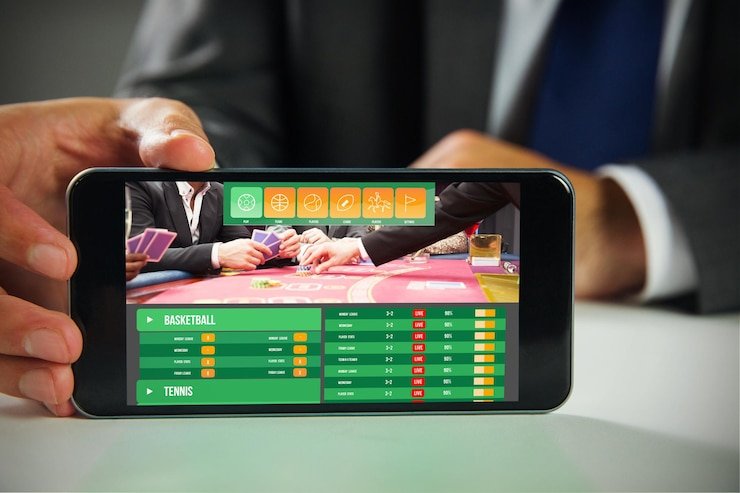
Mobile gaming has become the primary way people access entertainment platforms in Indonesia and across Southeast Asia. Whether you're on a commute to Jakarta, waiting during a break in Surabaya, or relaxing at home in Bandung, our mobile experience on melodi88 brings live-dealer tables, football markets, and arcade games to your phone with minimal data use and fast load times.
- LoginOTP Verification
- Update
- StartFirst Game
We at melodi88 understand that not everyone wants to download an app from a store. That's why we offer multiple paths to access melodi88 on mobile — Android APK direct download, iOS browser access, and a responsive web application. Each option is secure, fast, and designed for low-bandwidth environments. Your account, deposits, withdrawals, and KYC verification work seamlessly across all three platforms.
This guide covers how to install melodi88 on your device, which option suits your needs, and how to troubleshoot common issues. All paths lead to the same account and the same game library — the choice is yours.
How to access melodi88 on your phone
Three installation paths for melodi88
We provide three ways to use melodi88 on mobile, each with the same account access and game library:
Native app (Android APK)
- Direct download from melodi88 website
- Works offline for certain features; faster performance
- Push notifications for game updates and promotions
- One-click login after first setup
Browser access (iOS & Android)
- No download required; use Safari or Chrome
- Always up to date; no manual app updates
- Works on any device with internet access
- Save to home screen for app-like experience
Installation steps for melodi88
- Download: Visit melodi88.id on your phone browser, tap "App" in the footer menu, and select Android APK (or open the site directly for iOS/web access).
- Install: For Android, enable "Unknown sources" in Settings if prompted, then follow the installer. For iOS/web, no installation needed — just bookmark or add to home screen.
- Register or log in: Create a new account with username, email, password, and mobile number, or log in if you already have a melodi88 account.
- Start using melodi88: Browse live-dealer tables, football markets (Liga 1, Piala Indonesia, Piala AFF, Champions League), arcade games, and esports options.

Mobile experience and app features on melodi88
Native app versus browser on melodi88
The native Android app on melodi88 includes offline caching — certain game tiles, promotions, and account information load instantly even if your connection is temporarily interrupted. The app also supports push notifications, alerting you to new markets during Liga 1 fixtures, live-dealer table openings, or withdrawal confirmations. Login is faster on the app because your session is stored securely on your device. Browser access is lightweight and always current; you never need to update manually. The choice depends on your preference — app users enjoy speed and offline features, while browser users prefer simplicity and no installation steps.
Both paths stream live-dealer video (blackjack, roulette, baccarat, Dragon Tiger) in real time using adaptive bitrate technology. This means the app automatically adjusts video quality based on your connection speed, so you experience smooth playback whether you're on Wi-Fi or mobile data. Arcade games (Aviator, Sweet Bonanza, Gates of Olympus, Fortune Tiger, Mahjong Ways) load instantly on both platforms because they use minimal bandwidth.
Device compatibility for melodi88
Our Android APK runs on Android 7.0 and above. Most devices sold in the last five years support this version. The melodi88 web app works on any modern browser — Chrome, Safari, Firefox, or Edge — on Android or iOS. For iPhone and iPad, we recommend iOS 12 or later for optimal performance. If you're unsure of your device's OS version, go to Settings > About and check the system version number. All three access paths (Android APK, iOS browser, web) use the same account backend, so switching between devices is seamless.
Troubleshooting installation issues on melodi88
On Android, if you see "Unknown sources" warning when installing the APK, enable it in Settings > Security > Unknown sources. This is a standard Android safety feature; melodi88's APK is digitally signed and safe to install. Some devices also require you to trust the certificate — if prompted, tap "Install anyway". If the APK download is slow, try a different network (switch from mobile data to Wi-Fi or vice versa) and retry. On iOS, the web app may not add to your home screen if you're in low storage mode — free up space and try again. Browser users experiencing slow loading should clear cache (Settings > Safari > Clear history and website data) and retry.
Data, permissions, and account security on melodi88
The melodi88 app and web platform request minimal permissions — typically camera access (for KYC photo verification during account setup) and microphone access (for customer support video calls if needed). All permissions are optional except for the ones strictly necessary to verify your identity. Your account login credentials, payment details, and personal data are encrypted in transit using SSL/TLS security. We never store your password in plain text. The app stores only your session token (a secure session identifier) locally; if you log out or uninstall, the token is deleted. If you lose your phone, your melodi88 account remains secure because login requires your username and password. Contact our support team immediately if your device is lost, and we can help you recover your account and review any recent activity.
App security checklist
- Always enable two-factor authentication (if offered) for your melodi88 account
- Never share your melodi88 password with anyone, including support staff
- Log out before leaving your device unattended
- Use the app's built-in password manager to store your login credentials securely
- Update your app regularly to receive security patches and new features
Tips for using melodi88 on mobile
Getting the most from your melodi88 mobile experience
Enable notifications in melodi88 to receive alerts about live-dealer table availability, promoted matches during Piala AFF or Liga 1 seasons, and withdrawal status updates. Bookmark melodi88.id in your browser or add the app to your home screen for one-tap access. If you use multiple payment methods (DANA, e-wallet, mobile banking, local payment), save your preferred method in your account settings so deposits are faster. On slower connections, disable autoplay video in your app settings — live-dealer streams will still play on demand, but will use less background data. Test your audio and camera settings before initiating a support video call with our team. During peak hours (evening during Liga 1 matches or major tournaments), live-dealer tables may have longer wait times; consider alternative games or return a few minutes later.
Withdrawals initiated via the app process the same way as web withdrawals — typically within a few hours to one business day. Your first withdrawal may require KYC verification (government ID and proof of address), which also completes within hours. Future withdrawals bypass KYC unless your account details change. All withdrawal confirmations are sent to your registered email and, if enabled, as in-app notifications.
Support and account help on melodi88
Our support team is available during business hours in English and Indonesian. Use the in-app chat for quick questions, or visit melodi88.id and use the contact form for detailed inquiries. If you forget your password, tap "Forgot password?" on the login screen — we'll send a secure recovery link to your email. If your account is locked or you suspect unauthorized access, contact support immediately. We can review your account activity, reset your credentials, and help you regain access securely. For payment issues, include your transaction ID and the time of the transaction in your inquiry so our team can investigate quickly.
melodi88 is available only where local law permits. If you have questions about whether the service is accessible in your region, consult the legal notice on our site or contact our team. We're here to help you navigate account setup, deposits, withdrawals, game rules, and technical issues. Thank you for choosing melodi88 for your mobile gaming experience.